
Everything a small company needs for payroll
AntAI Payroll covers Indian payroll, leave and LOP, salary changes and the month-end files your accountant and bank need. It runs on one Windows PC, offline.
Payroll engine
- CTC structures and salary components
- TDS under the old and new regime, with 87A rebate, surcharge and cess
- Old vs new regime comparison report for each employee
- PF, Professional Tax (PT) and Labour Welfare Fund (LWF)
- Salary revisions with automatic arrears
- Loss of pay (LOP), proration, salary advances and holds
- Full and final settlement (F&F)
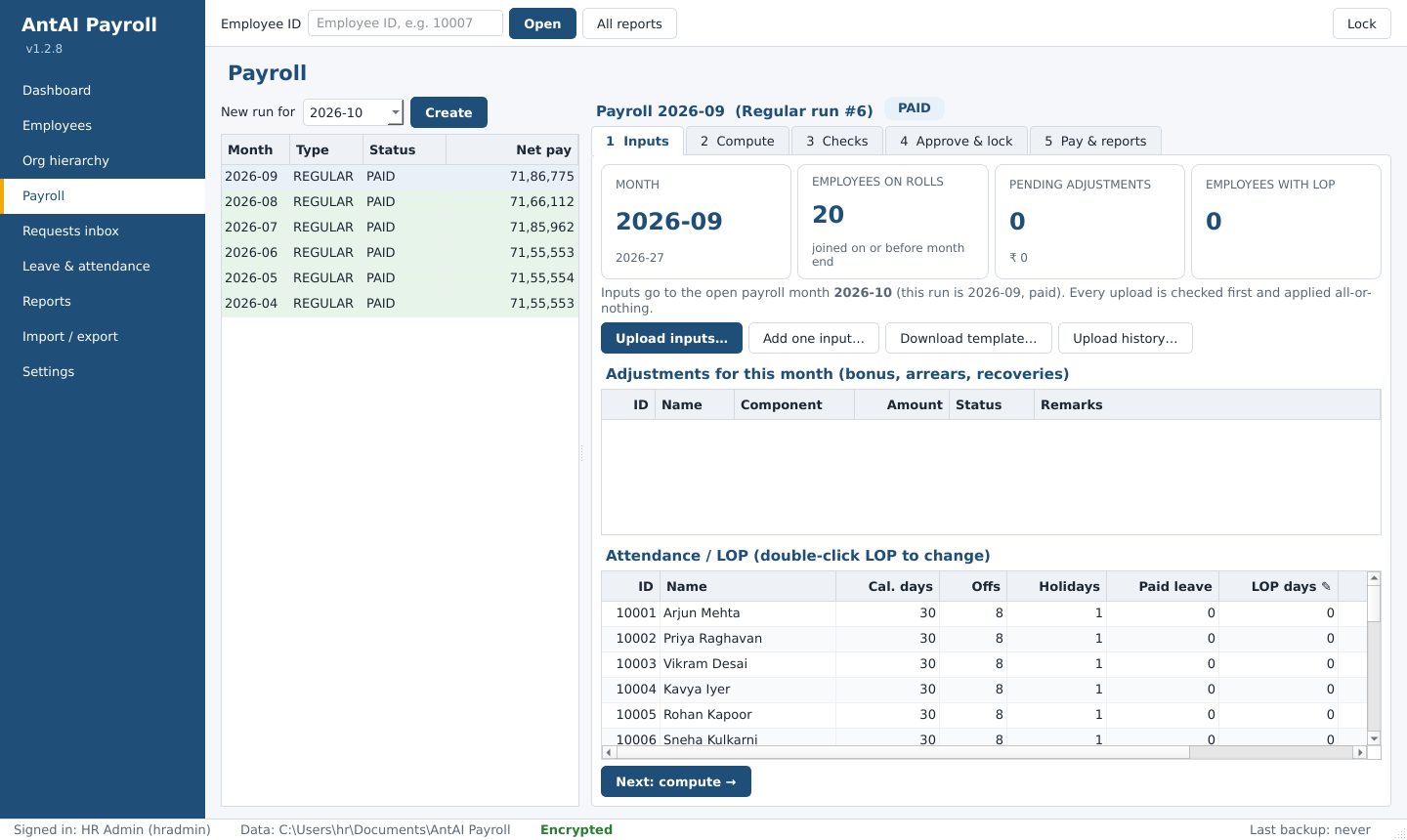
A calm month-end
One clear flow
Inputs, Compute, Checks, Approve, Pay. Months are processed in order, and a backup is taken before a month is locked.
Checks before you pay
After compute, the app lists anything that looks wrong. Open checks must be resolved before approval.
Bulk inputs from Excel
Upload LOP, bonuses and other inputs from Excel or CSV. A red and amber preview shows problems before anything is saved.
Locked months
Once a month is locked or paid, its payslips cannot be changed by any screen or tool.
Password-protected payslips
PDF payslips are protected with a password made from the employee's PAN and date of birth.
E-mail drafts
The app prepares an e-mail draft in Outlook with the payslip attached. You check it and press Send.
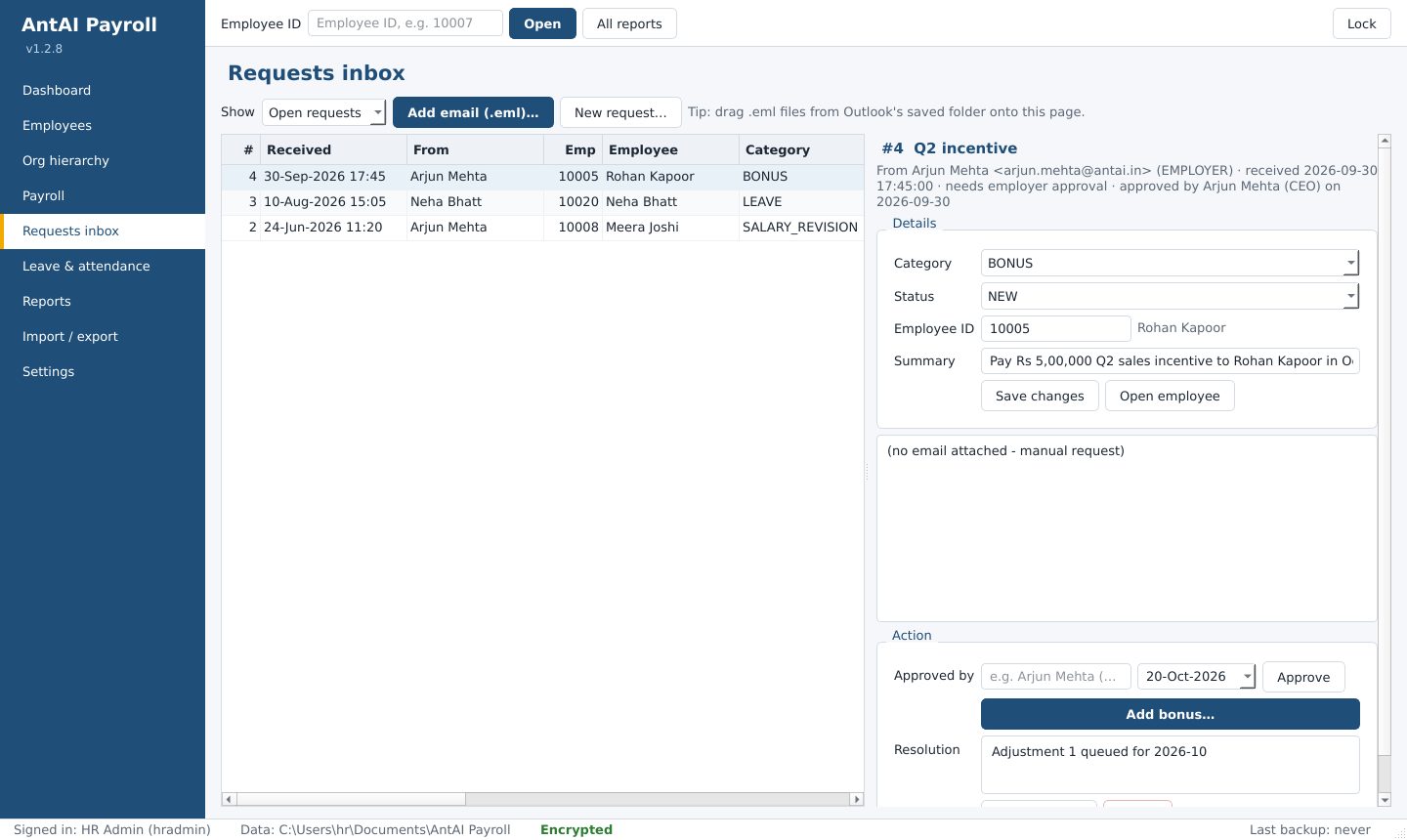
Requests inbox
Salary revisions, bonuses, new joiners, exits, leave and bank changes often arrive by e-mail. Import the e-mail into AntAI Payroll and it becomes a request.
- Each request has a status, from New through Approved to Applied or Closed
- Revisions, bonuses, joiners and exits need employer approval first, and the approver's name and date are recorded
- Apply the change with one click; the audit trail links back to the request
- The original e-mail is kept, encrypted, with the employee's record
People and organisation
- Employee 360: everything about one employee on one page, also as a PDF profile
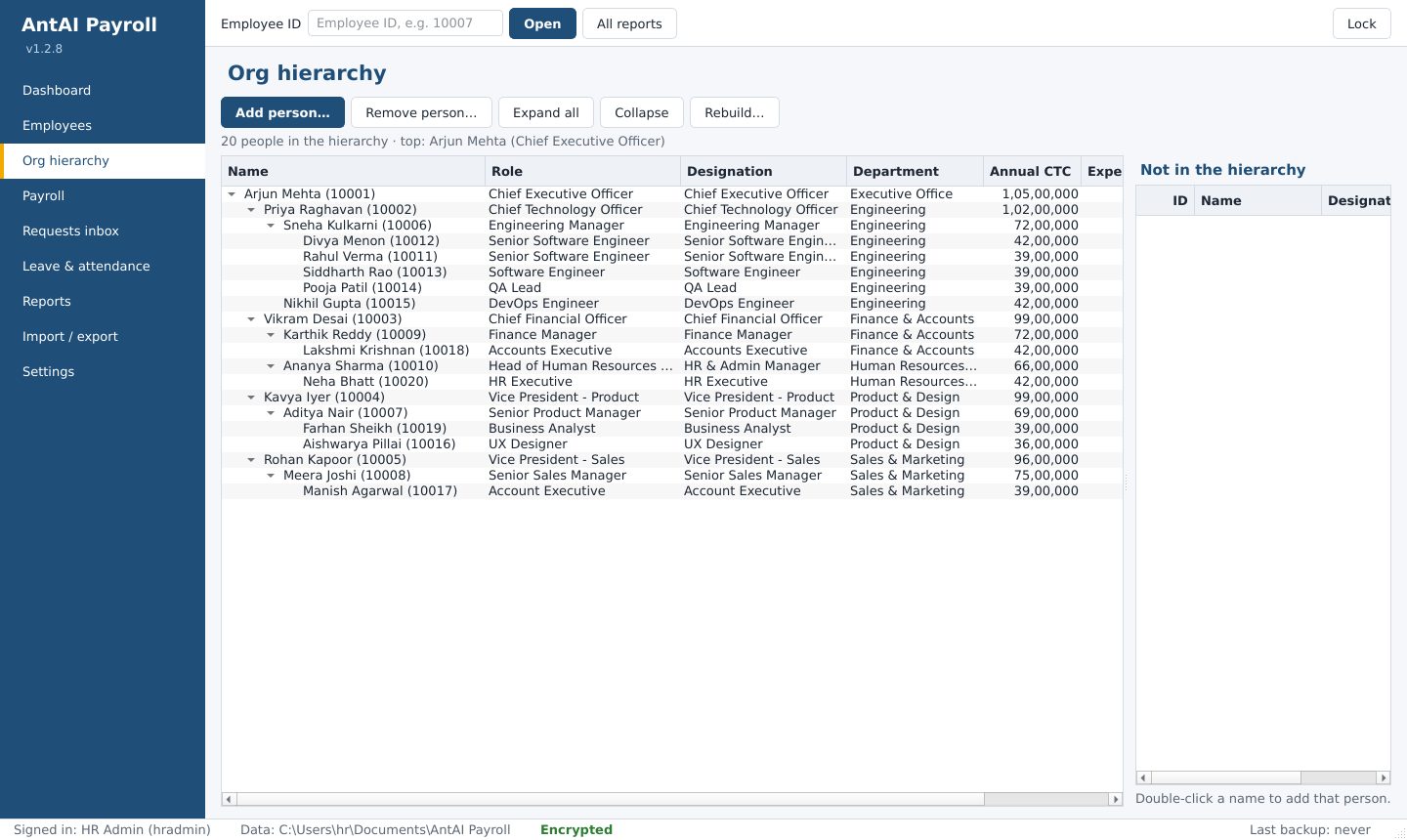
- Org hierarchy: see and edit who reports to whom
- Leave balances and leave records, with LOP from the Leave page or an upload
- A separate user for each HR person, each with their own password
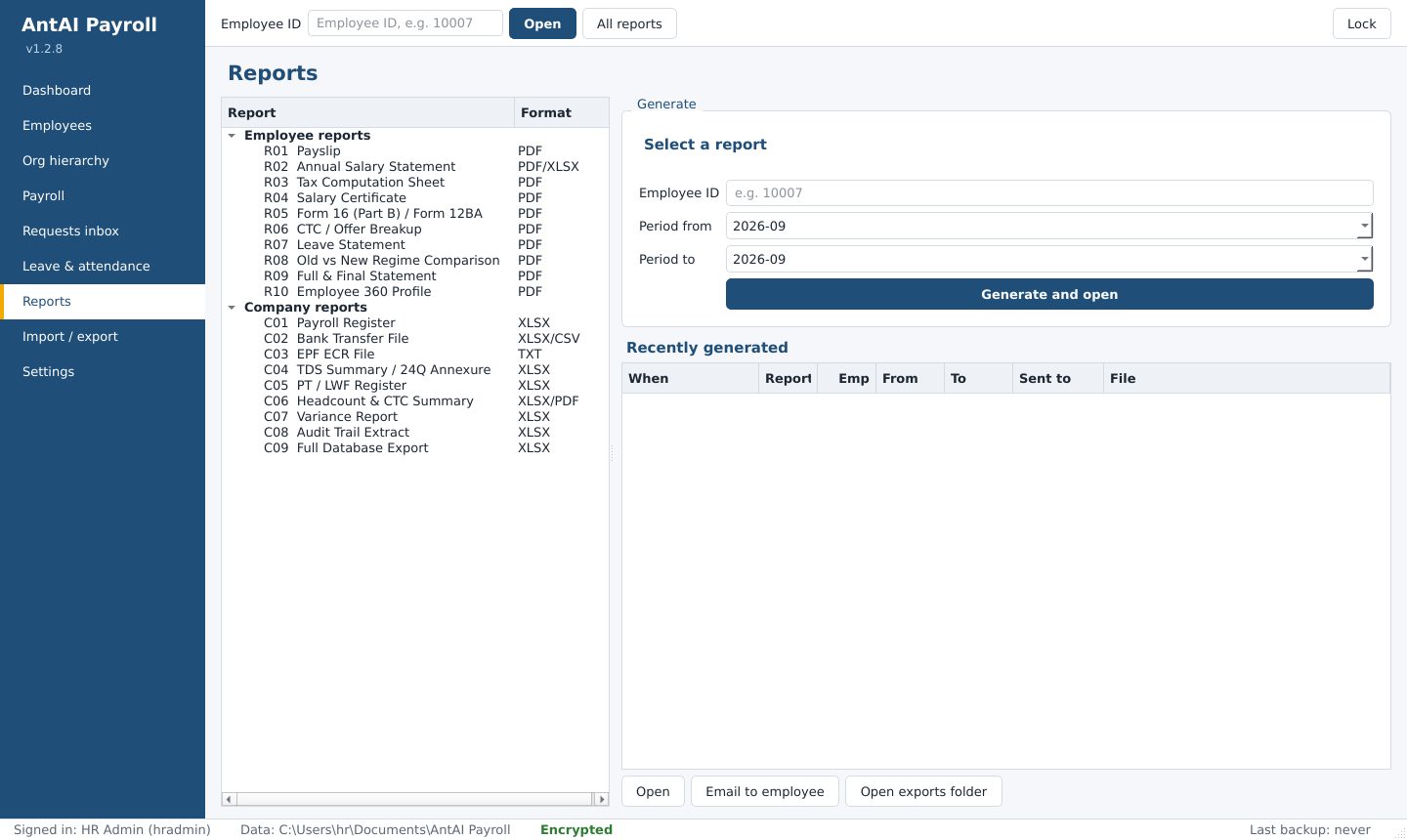
Reports and statutory files
- For each employee: payslip, annual salary statement, tax computation, salary certificate, Form 16 (Part B) and Form 12BA, CTC breakup, leave statement, old vs new regime comparison, F&F statement
- For the company: payroll register, bank transfer file, EPF ECR file, TDS summary and 24Q annexure, PT and LWF register, headcount and CTC summary, variance report, audit trail extract
- Full export of all your data to Excel, any time
The app prepares these files. You upload them to the bank, EPFO or the TDS portal yourself.
Security built in
Encrypted database, encrypted backups, a recovery key, a tamper-evident audit trail and masked logs. Read how we protect your data.
What AntAI Payroll does not do yet
We would rather you know now than find out later. Today, AntAI Payroll does not have:
- ESIC calculation. If you have staff covered by ESI, it is not the right fit yet.
- An employee mobile app or self-service portal
- Biometric, geo or selfie attendance (attendance comes from manual entry or Excel)
- Direct salary payment or statutory e-filing (you upload the files it prepares)
- User roles, maker-checker approval or two-factor sign-in. Every user has full access.
- A shared database for several PCs on a network
- Cloud backup
- More than one company in one licence
Try it with your own employees
Install AntAI Payroll, import your employee list from Excel and run one full month. The trial is free for 10 days, with every feature. No card needed.